June 2025 eLearning Challenge: Avoiding Phishing & Spoofing Attacks
The barrage of emails, chats, and video calls the average employee receives and sends in a day is overwhelming. Quite often, employees are focused on output rather than defending against threats that lurk within the communications they receive. Our technology-infused workplace allows cybersecurity criminals to infiltrate businesses and disrupt operations by targeting employees who may unknowingly provide sensitive data or network access.
The cost of cybercrime continues to rise as attacks become more sophisticated, driven by the evolution of technology, including generative AI. Globally, cybercrime costs are projected to reach $13.82 trillion by 2028 (Statista). Businesses have much to lose from cyberattacks—revenue, data, operational stability, and even the trust and security their customers expect.
Two of the most common types of cybercrimes include phishing and spoofing.
Phishing takes the form of mass emails or messages (including phone calls, text messages, etc.) from seemingly legitimate sources that prompt employees to provide usernames, passwords, and other sensitive information.
Spoofing attacks often appear to originate from a credible person (such as a company leader) or entity (like HR, IT, the USPS, etc.). Fake websites, caller IDs, emails, and other forms of communication are used in spoofing to establish trust, heighten urgency, and persuade the target to provide access or information.
✅ The Challenge
You are an instructional designer working for Cyvex Security Systems, a cybersecurity training vendor relied on by hundreds of companies worldwide. Cyvex creates performance-based eLearning rather than the information-heavy “click next” compliance IT modules we’ve all taken.
Cyvex is updating its phishing and spoofing eLearning in response to the evolving nature of cybersecurity threats. The fast-paced adoption of AI has boosted criminals’ ability to create messages that appear and sound more realistic than ever before.
To build this course, you will partner with cybersecurity IT subject matter experts at Cyvex. The eLearning will be distributed to Cyvex’s client partners as part of their annual phishing and spoofing training requirement. By empowering employees to recognize and respond to threats, client partners can reduce cybersecurity breaches and maintain data security.
After completing your course, learners will be able to complete one or more of the following objectives:
Identify warning signs of phishing and spoofing in an email or other communication (text message, etc.)
Resist divulging information or providing access to the cybercriminal by ending engagement with the threat in the most appropriate manner
Determine if a potential phishing threat needs to be flagged and evaluated by IT
Distinguish fake communications from genuine communications by contacting the source and verifying the request before acting on it
Decide what information or access is appropriate to grant after evaluating a communication (email, text, etc.) requesting action from the learner
📋 Requirements & Constraints
As you design and develop your course, keep the following requirements and constraints in mind:
Interactivity & Content Presentation: Ideally, your solution will include decision-based interactions or scenarios to reinforce the skills being taught. Here are some ideas for how you might present your content and make it interactive:
Create a branching scenario where an employee begins to fall prey to a cybercriminal, guiding the learner through the warning signs and potential threats that lead up to a final decision of allowing or denying access.
Create mockups of a phishing attempt with hidden hotspots that reveal the warning signs throughout the message.
Leverage video and/or generative AI to take spoofing to the next level, placing the learner into an immersive cybersecurity threat that seems credible (such as from a CEO, etc.). Use scenario-based learning to guide the learner through options where they identify red flags in the message.
Use a drag-and-drop interaction with tags (such as “Generic Greeting,” “Misspelling,” “Fake URL,” etc.) to place on a phishing email as the learner evaluates it.
Simulate realistic workplace communications (such as emails and Teams messages) and prompt the learner to respond in real-time, determining whether the communication is legitimate or requires reporting.
Add a job aid to the course with the key warning signs of phishing and spoofing.
Authoring Tools: You are free to use any eLearning authoring tool you’d like; however, Articulate Storyline or Rise are recommended. If you’re new to Articulate Storyline, check out this playlist of videos to help you get started.
Visual Design: You are free to design the course in any way you’d like; however, it should demonstrate good visual design best practices with a cohesive and consistent use of font, colors, images, and graphics. If you’re new to visual design, check out this playlist of videos to help you get started.
🎨 Style Guide
To help in the design of your eLearning course, you can view and download the client style guide and brand assets below. You are free to use these to design a branded course template or create your own design.
Cyvex.pdfCyvex Assets.zip📑 Reference Materials
As you design and develop your course, you can create your own content from scratch or source your content from the following references:
🏆 Submission Guidelines & Contest Rules
Once you're done building your course, you can submit it by commenting below and sharing a link to your finished project. If you’re using Articulate Storyline or Rise, you can publish and share a link from Articulate Review or on the web using Google Cloud. Along with a link to your published course, share a few words explaining your design decisions, challenges, inspiration, etc.
To be eligible to win the $100 Amazon gift card, your submission must be posted no later than Friday, June 27th, at 11:59 PM ET.
You can learn more about the contest rules and criteria here.
If you’d like to get more eyes on your submission and encourage others to participate in the challenges, you might also consider…
Writing a Blog Post: If you happen to have a blog or online portfolio, write a post about your submission and share it on social media. Make sure to link to it in the comments below for others to see!
Record a Video: If you want to share how you went about designing your submission, record and share a screen recording video (via Loom, Camtasia, SnagIt, or YouTube) to showcase and explain your process. And, of course, don't forget to share a link to it in the comments below!
Share on Social Media: If you’re active on LinkedIn, Twitter, or another social media platform, create a post to share your submission. If possible, make sure to link back to this page and tag The eLearning Designer’s Academy on LinkedIn or Twitter in your post.
💬 Give & Get Feedback
After you've shared your submission, make sure to review what others have submitted and provide constructive feedback. Remember, the monthly challenges (and this community as a whole) are meant to provide an inclusive and supportive environment. As you provide feedback, make sure to keep our Code of Conduct in mind.
As you work to develop your project, also consider sharing your work-in-progress for community feedback in our Get Feedback space here.
🎉 Challenge Recap, Submissions & Winner
Congrats to this month’s eLearning challenge winner, @Michael Neves, for his winning submission: Identifying Phishing & Spoofing Attacks! 🎉
With Michael’s project, what we appreciated the most were the realistic scenarios, adherence to the client style guide, and overall attention to detail.
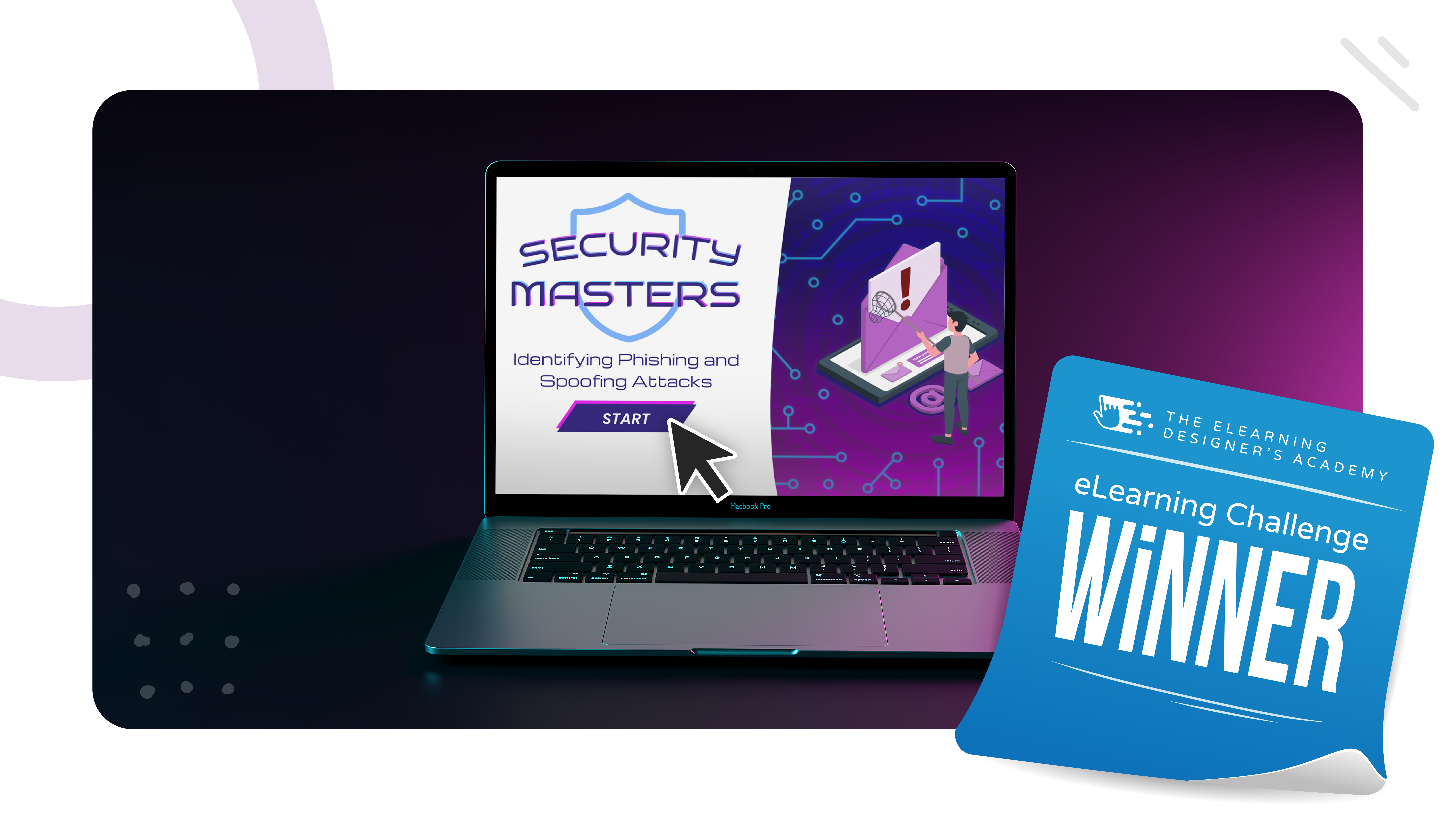
Check out all of the submissions for this month’s eLearning challenge:
🙋♂️ New to the Design Challenges?
If you're new to the eLearning challenges, check out this post to learn how they work.