February 2026 Design Challenge: Reading Nutrition Labels
Living a healthy lifestyle is challenging in the United States. Consuming processed foods along with staying sedentary expands Americans’ waistlines, resulting in high rates of chronic diseases such as diabetes, obesity, heart disease, and hypertension.
Managing or reversing a condition by making dietary modifications isn’t easy. People must learn which foods to eat (and how much) as they develop new eating habits. For example, choosing foods that may influence hypertension requires building baseline knowledge to guide decisions at the grocery store, at home, and on the go.
Nutrition labels are an information goldmine for consumers who need to strategize what they eat. Even though labels are printed on almost all packaged foods, how often do you read them before you purchase or eat something? Interpreting grams, serving sizes, and daily value percentages helps people make better informed food choices.
✅ The Challenge
At PlateSmart Initiative, nutrition coaches customize plans for clients based on their health goals. For example, a diabetic client may need to count carbohydrates closely, but a hypertensive one may focus on the DASH diet. PlateSmart’s coaches empower clients with easy-to-interpret meal plans for use at the grocery store and their in-home kitchens.
You are a freelance instructional designer partnering with PlateSmart Initiative to develop an eLearning course on interpreting nutrition labels and choosing appropriate foods for various health conditions. PlateSmart nutrition coaches shared that clients need practice decoding nutrition labels and deciding whether a food item is a good (or not so good) choice in order to succeed at following their plans.
This course will be assigned to all new PlateSmart clients as onboarding pre-work to reduce coaches’ time spent teaching nutrition labels in introductory sessions. Additionally, the course will serve as a springboard for coaches as they tailor dietary recommendations for conditions such as diabetes, heart disease, and hypertension.
After completing this course, the learner will be able to:
Identify the basic components of a nutrition label (calories, percentage daily value, etc.)
Determine whether a food item meets or exceeds the recommended value of a nutrient (like sodium) in light of a given medical condition and/or health goal
Decide if a food item is a good or a detrimental choice for a client’s medical condition
Propose alternatives to foods that must be restricted (such as sugary sodas)
Combine multiple foods to make a recipe that fits into the PlateSmart recommendation for a condition like heart disease
📋 Requirements & Constraints
As you design and develop your course, keep the following requirements and constraints in mind:
Interactivity & Content Presentation: Ideally, your solution will include decision-based interactions or scenarios to reinforce the skills being taught. Here are some ideas for how you might present your content and make it interactive:
Incorporate pulsing markers to reveal key nutritional facts for a group of food items (on a plate, in a recipe, etc.).
Assign variables to food options to track nutrient amounts (saturated fat, sodium, etc.) and produce a total amount of a nutrient consumed. Ask the learner whether they are over/under their recommended daily value.
Build a drag-and-drop interaction for learners to categorize foods as good choices or poor choices, depending on the type of medical condition (for example, high or low sodium foods).
Use scenario-based interactions where learners are presented with a dilemma (like craving a soda) and explore alternative choices.
Develop a branching scenario involving a character with a diagnosis (like diabetes) who is selecting food items to make a meal within guidelines. Provide feedback along the way to guide the learner’s decisions and/or track progress towards a goal of carbs, fat grams, etc.
Authoring Tools: You are free to use any eLearning authoring tool you’d like; however, Articulate Storyline or Rise are popular options. If you’re new to Articulate Storyline, check out this playlist of videos to help you get started.
Visual Design: You are free to design the course in any way you’d like; however, it should demonstrate good visual design best practices with a cohesive and consistent use of font, colors, images, and graphics. We suggest designing your course to align with the provided client style guide below. If you’re new to visual design, check out this playlist of videos to help you get started.
🎨 Style Guide
To help in the design of your eLearning course, you can view and download the client style guide and brand assets below. You are free to use these to design a branded course template or create your own design.
PlateSmart_BrandGuide.pdfPlateSmart_Assets.zip📑 Reference Materials
As you design and develop your course, you can create your own content from scratch or source your content from the following references:
🏆 Submission Guidelines & Contest Rules
Once you're done building your course, you can submit it by commenting below and sharing a link to your finished project. If you’re using Articulate Storyline, Rise, or any other tool that allows for HTML web publishing, you can publish and share a link using one of these options. Along with a link to your published course, share a few words explaining your design decisions, challenges, inspiration, etc.
To be eligible to win the $100 Amazon gift card, your submission must be posted no later than Friday, February 27th, at 11:59 PM ET.
You can learn more about the contest rules and criteria here.
If you’d like to get more eyes on your submission and encourage others to participate in the challenges, you might also consider…
Writing a Blog Post: If you happen to have a blog or online portfolio, write a post about your submission and share it on social media. Make sure to link to it in the comments below for others to see!
Record a Video: If you want to share how you went about designing your submission, record and share a screen recording video (via Loom, Camtasia, SnagIt, or YouTube) to showcase and explain your process. And, of course, don't forget to share a link to it in the comments below!
Share on Social Media: If you’re active on LinkedIn, Twitter, or another social media platform, create a post to share your submission. If possible, make sure to link back to this page and tag The eLearning Designer’s Academy on LinkedIn or Twitter in your post.
💬 Give & Get Feedback
After you've shared your submission, make sure to review what others have submitted and provide constructive feedback. Remember, the monthly challenges (and this community as a whole) are meant to provide an inclusive and supportive environment. As you provide feedback, make sure to keep our Code of Conduct in mind.
As you work to develop your project, also consider sharing your work-in-progress for community feedback in our Get Feedback space here.
🎉 Challenge Recap, Submissions & Winner
For this month’s challenge, we loved the diversity of submissions, tools used, and techniques applied. The creativity on display this month was next level…from smart scenario choices to intentional instructional strategies.
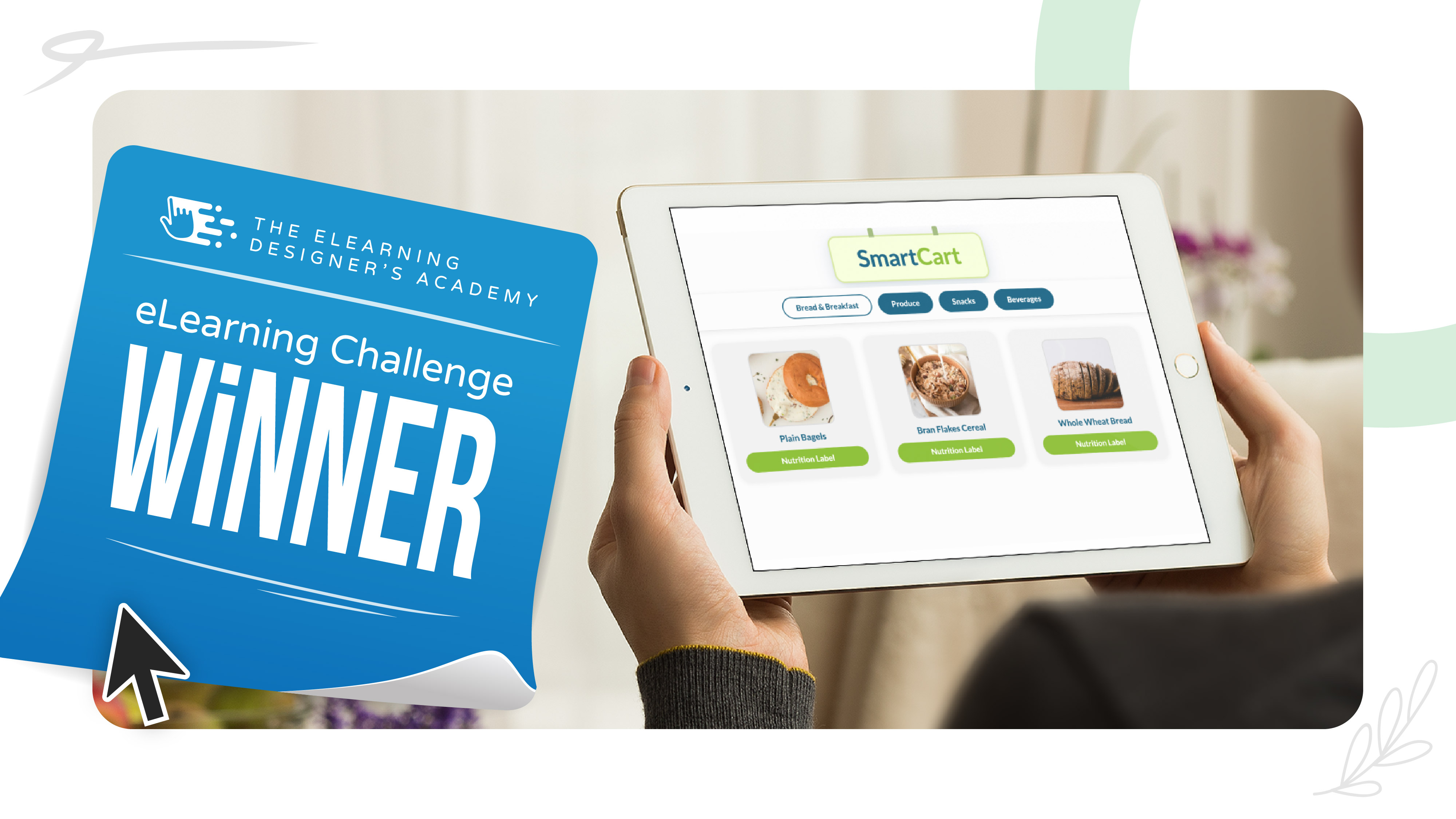
For this month, we’re excited to announce @Haadiya Basheer as this month’s Design Challenge winner with her submission, PlateSmart Initiative.
What stood out most in Haadiya’s project was her creative use of Rise, custom code blocks, and scenario-based interactions…especially the grocery shopping and meal planning exercises, which gave learners the opportunity to apply decision-making skills in a realistic, performance-focused context.
Check out all of this month’s challenge submissions (in no particular order):
🙋♂️ New to the Design Challenges?
If you're new to the eLearning challenges, check out this post to learn how they work.