Unconventional Instructional Design Portfolio Examples
If you’ve spent any time researching instructional design or eLearning portfolios, you’ve probably fallen down the same rabbit hole I see people fall into every single week.
“What website platform should I use?”
“Do I need my own domain?”
“Should I design a logo?”
“What colors should I use?”
“What’s the best AI tool for a professional headshot?”
Here’s the thing. None of those questions are bad questions. They’re just the wrong questions to start with.
A portfolio doesn’t equal a website. A portfolio is a collection of work.
Its job is to make your skills, thinking, and decision-making visible. How that work is delivered matters far less than what you’re showing and how clearly you’re showing it.
In fact, I’ve seen far too many people build strong samples of work…only to sit on them for months because they’re still trying to perfect a website. Others start with the website first and end up with a polished About page and a bunch of “coming soon” projects.
Hiring managers don’t care that you can build a pretty website. They care about whether you can design effective learning and performance solutions. When you understand that, a whole world of simpler, faster, and more practical portfolio options opens up.
So, in this article, I’m sharing several real-world instructional design and eLearning portfolio examples that prove exactly that. None of these are traditional websites in the way people usually think about them, but every single one gets the job done.
Example 1: A Portfolio Built in Google Slides
One of my favorite non‑traditional portfolio examples comes from @Spencer Barfuss, who built his entire portfolio using Google Slides.
At first glance, it looks like a website. There’s a clear landing page, navigation, calls to action, and individual project pages. But under the hood, it’s simply a shared slide deck.
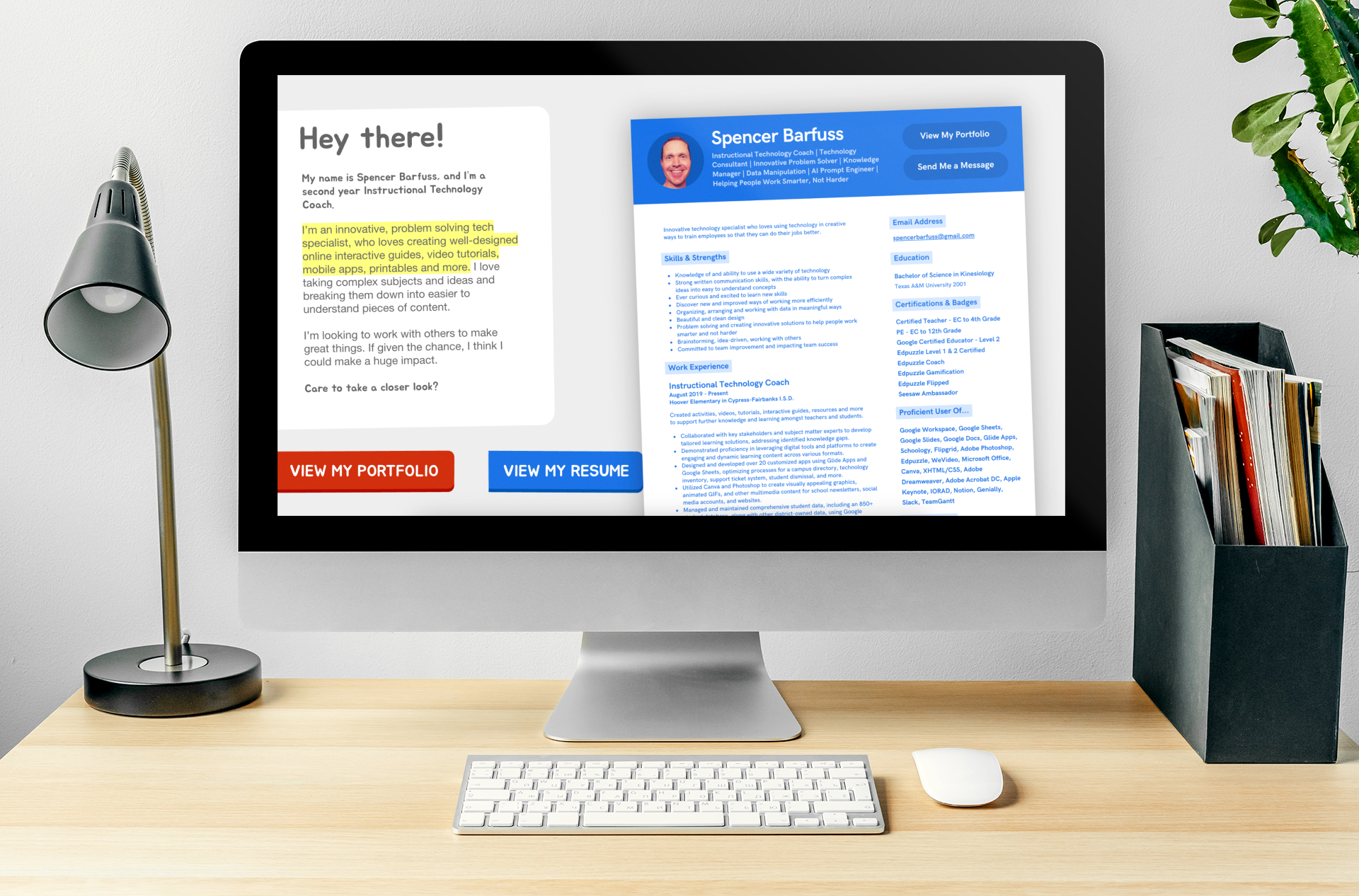
This approach works because it keeps the focus exactly where it should be: on the work. Each project follows a consistent, repeatable layout with a short description of the problem, the design decisions, the tools used, and supporting visuals. When Spencer wants to add a new project, he duplicates a slide, swaps in new content, and keeps moving.
For anyone who wants to get something online quickly without learning a website builder, Google Slides (or PowerPoint) is a surprisingly effective option. You can share a single link, control access, and update it at any time.
If visual design isn’t your strength, you don’t need to design everything from scratch. Services like Envato Elements offer ready‑made Google Slides and PowerPoint portfolio templates. You can drop in your own screenshots and copy, keep the layout consistent, and avoid over‑engineering the whole thing.
Example 2: Simple One-Page Portfolios with Carrd
Carrd sits in an interesting middle ground. Technically, it is a website builder, but it’s designed specifically for simple, lightweight, one‑page sites.
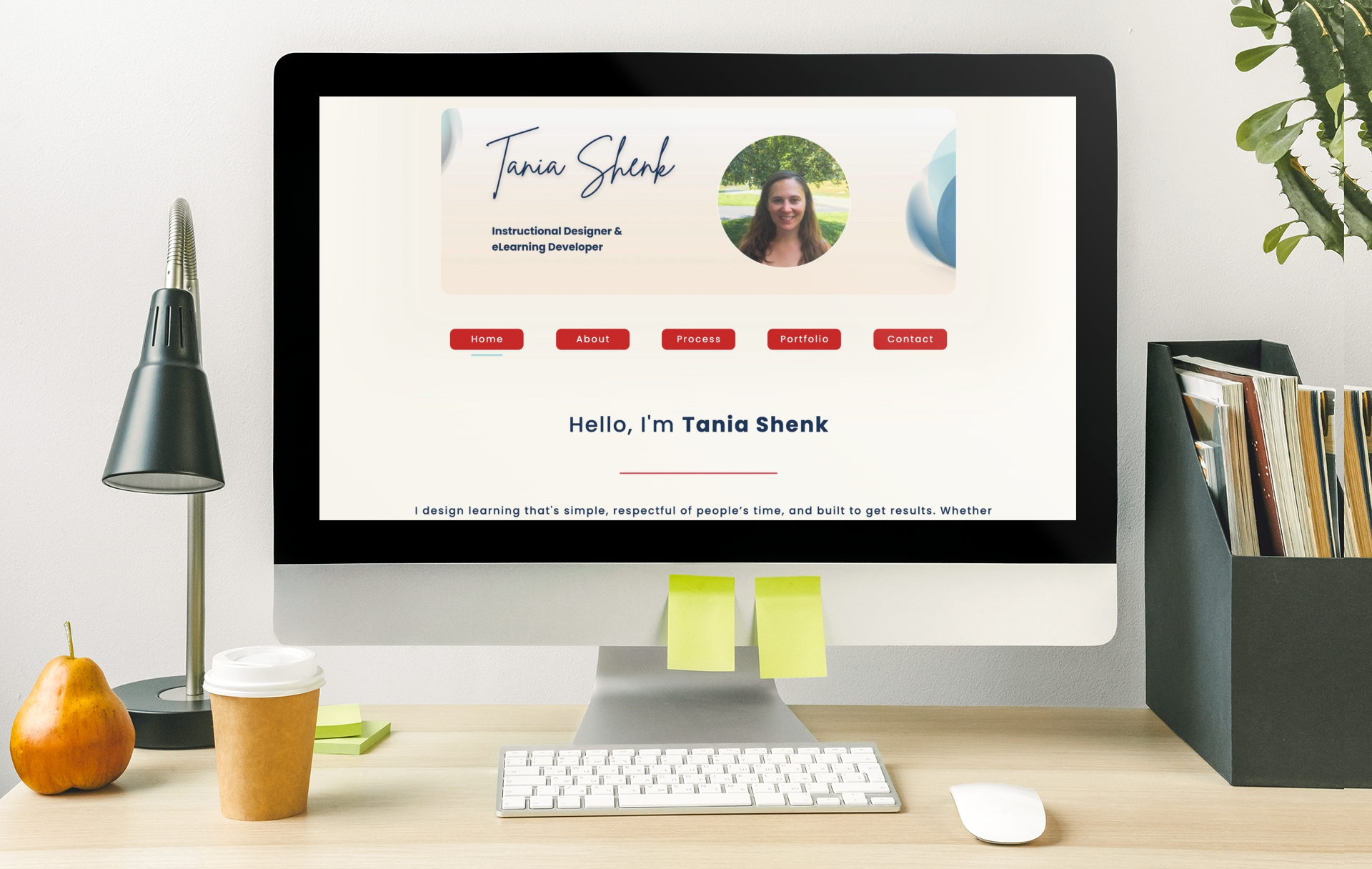
Two great examples come from community members: @Michael Hennessy and @Tania Shenk. Both used Carrd, but their portfolios look and feel completely different because they chose different templates and structures.
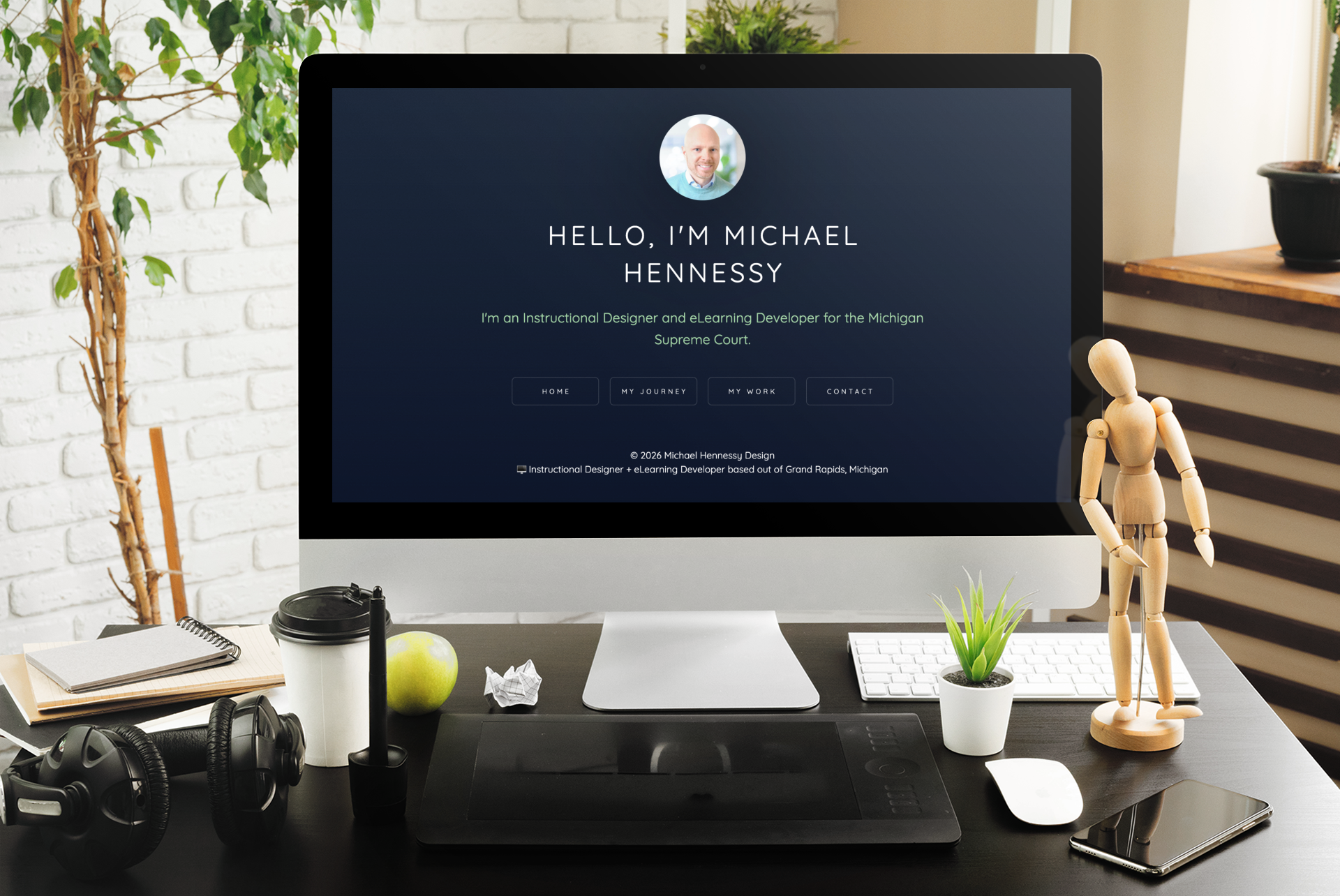
Michael’s portfolio keeps things minimal. A short introduction, a clear navigation, and direct access to his work. Tanya’s portfolio leans more into storytelling, sharing her background, her instructional design process, and detailed project write‑ups.
What matters here isn’t the platform…it’s the clarity. Carrd removes a lot of the friction that comes with traditional website builders. You’re not worrying about complex navigation, plugins, or layouts. You’re focused on presenting your work cleanly and professionally.
Carrd also gives you the option to connect a custom domain if you want one, but it doesn’t force that decision upfront. You can start simple and add polish later, instead of letting perfection slow you down.
Need Help Building Your ID Portfolio?
If you’re still unsure what kind of work belongs in your instructional design or eLearning portfolio, you’re not alone. One of the hardest parts of getting started isn’t choosing a tool; it’s understanding what instructional designers actually do, which skills matter for different roles, and how to translate your experience into meaningful portfolio work.
That’s exactly why I created Instructional Design Career Jumpstart.
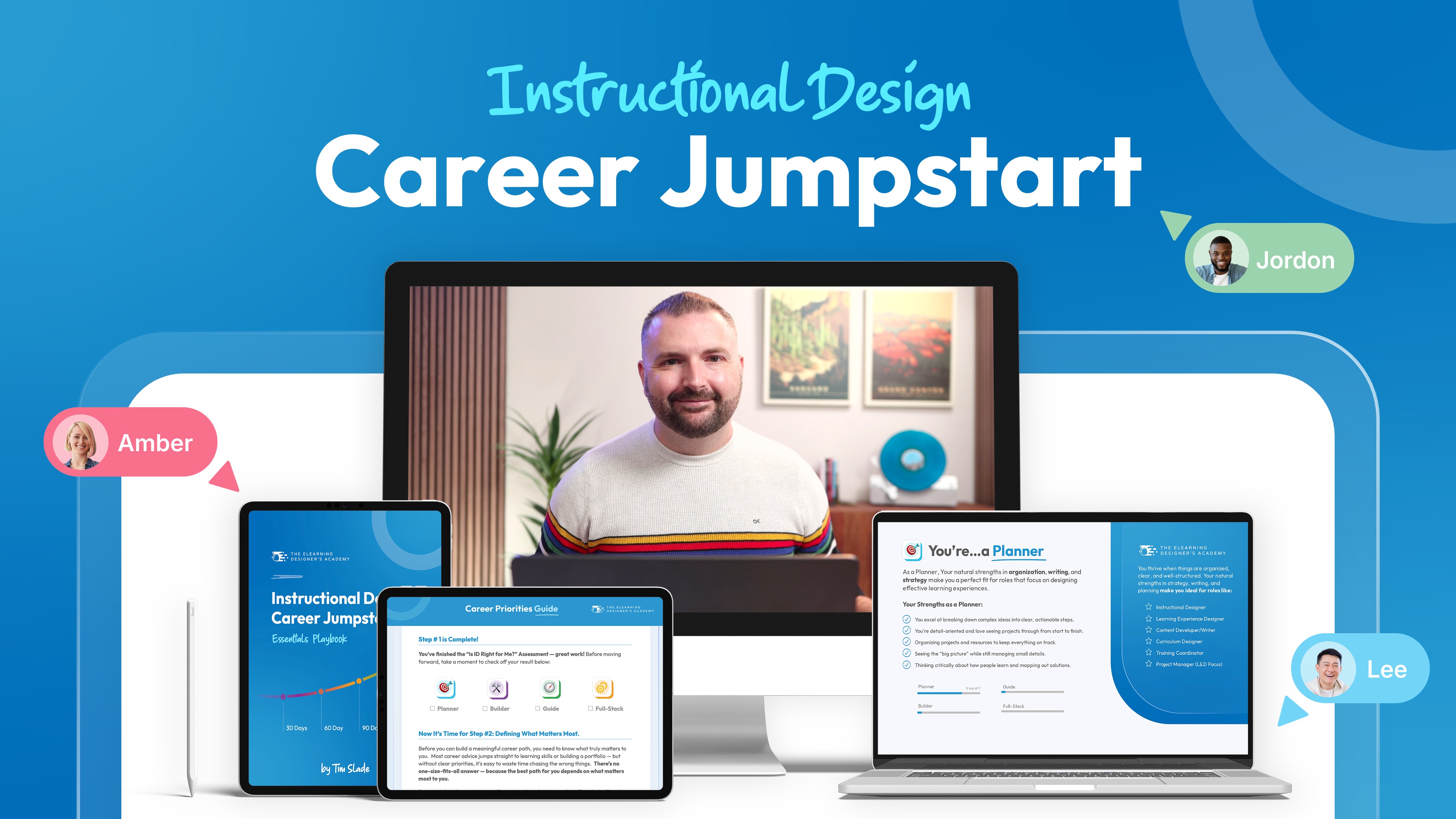
Jumpstart is a practical, no-BS foundation that helps you understand the instructional design industry as a whole…not just tools or trends. Inside the course, you’ll learn how different ID roles really work, how to identify the skills you already have, where to focus next, and how to plan portfolio projects that align with the kind of work you want to be hired for.
Instead of guessing what to build or copying random examples online, you’ll develop clarity and direction, so your portfolio reflects intentional choices, not just output.
Example 3: A Portfolio Built Entirely in Articulate Rise
@Stephanie Harnett built her portfolio directly in Articulate Rise. And it’s one of those examples that feels an obvious usecase for Rise once you see it.
Rise is already designed to present content in a clean, responsive, scroll‑based format, so it naturally lends itself to portfolio storytelling. Stephanie uses standard Rise blocks to explain her approach, highlight her priorities, and showcase different types of work. Each section feels intentional and easy to navigate.
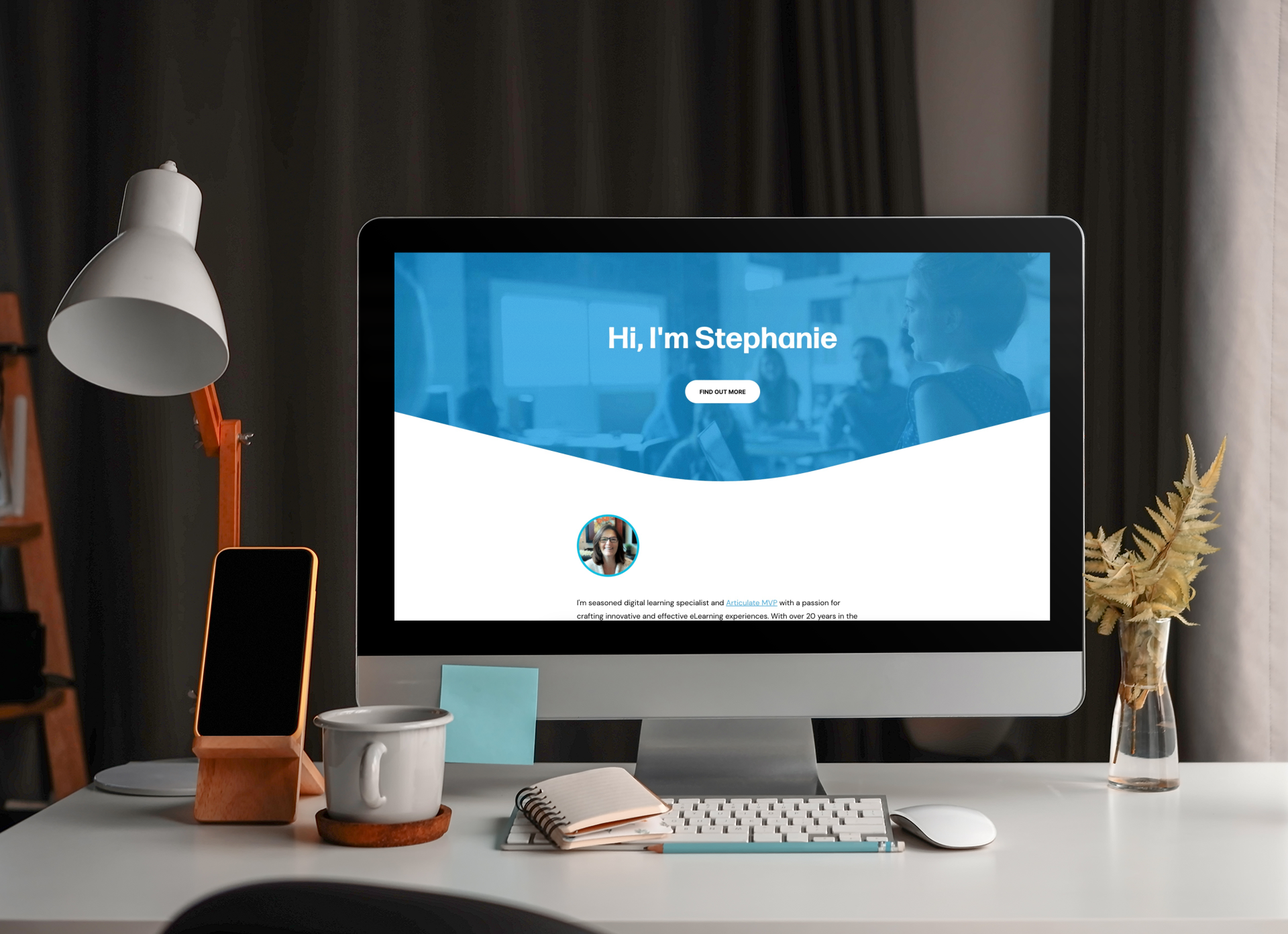
This approach is especially compelling for eLearning developers. If Rise is a tool you already use, your portfolio becomes a live demonstration of your capability with that tool. There’s no translation required.
You can publish directly from Articulate 360 or host the output elsewhere and connect a custom domain, as Stephanie did. And if you want to push the visual design further, tools like Mighty (a Chrome extension for Rise) let you extend Rise’s design flexibility without turning it into a full development project.
The key takeaway here is speed and alignment. If you already have your projects and your story, you can create a Rise‑based portfolio in a matter of hours—not weeks.
Example 4: A Scalable Portfolio Built in Notion
The final example comes from @Zainab Fawzul, who built her entire portfolio in Notion.
Notion is hard to describe if you’ve never used it. It’s part document, part database, part project management tool. One of its most powerful features is the ability to share public, read‑only links to pages.
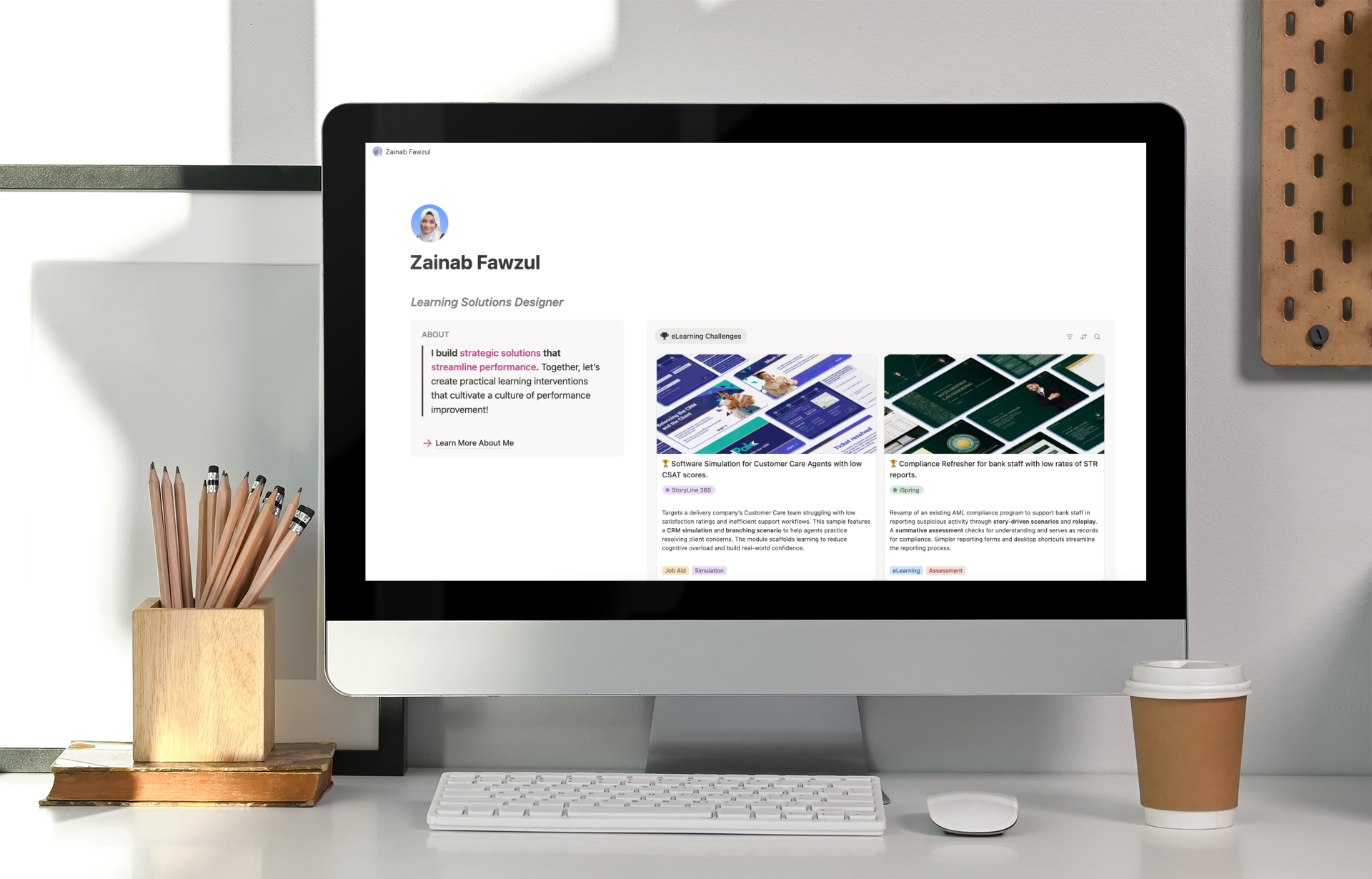
Zainab’s portfolio uses that feature beautifully. Her homepage is clean and simple, with a short introduction, social proof, and a clear view into her projects. Each project opens into a structured layout that explains the context, the problem, the solution, and the design decisions behind it.
What really stands out is how intentional the structure is. Projects aren’t just screenshots and descriptions. They include FAQs, reflections on design choices, and evaluation considerations. This helps hiring managers understand how she thinks, not just what she built.
If Notion feels intimidating, there are two great resources to explore. Zainab published a detailed LinkedIn article walking through how she built her portfolio, and she also offers a free Notion portfolio template based on her own structure. You can duplicate it, replace the content, and adapt it to your own work.
Because everything is built on repeatable pages, adding new projects is simple. Duplicate, update, and publish. No redesign required.
What’s Next?
Want to keep learning more about building your instructional design portfolio? Check out these additional resources…
The Bottom Line
None of these portfolio examples works because of the tool used. They work because they:
Focus on real samples of work
Use consistent, repeatable project layouts
Explain design decisions clearly
Make it easy for someone else to review and understand the work
That’s the real goal of a portfolio. When you stop treating your portfolio like a branding exercise and start treating it like a working artifact of your skills, everything gets simpler. You spend less time polishing and more time sharing. Less time tweaking layouts and more time designing meaningful work.
So if you’ve been stuck trying to build the “perfect” website, take this as permission to pause. Pick a tool that helps you get your work visible quickly. Show the work. Tell the story. Improve it over time.
That’s how portfolios actually work in the real world.